Start Here
A short setup path and a clear operating rhythm.
System 015 · Decisions & life admin
Never rediscover an important expiry date after it becomes urgent.
The Notion foundation
The template is the durable, visual source of truth. It is designed around renewals, notice periods, evidence requirements, owners, and completion history, with sensible views and realistic example records.
A short setup path and a clear operating rhythm.
Connected information, views, examples, and review cues.
Portable jobs, boundaries, inputs, and expected outputs.
Version details, privacy notes, and human approval rules.
Inside the Notion template
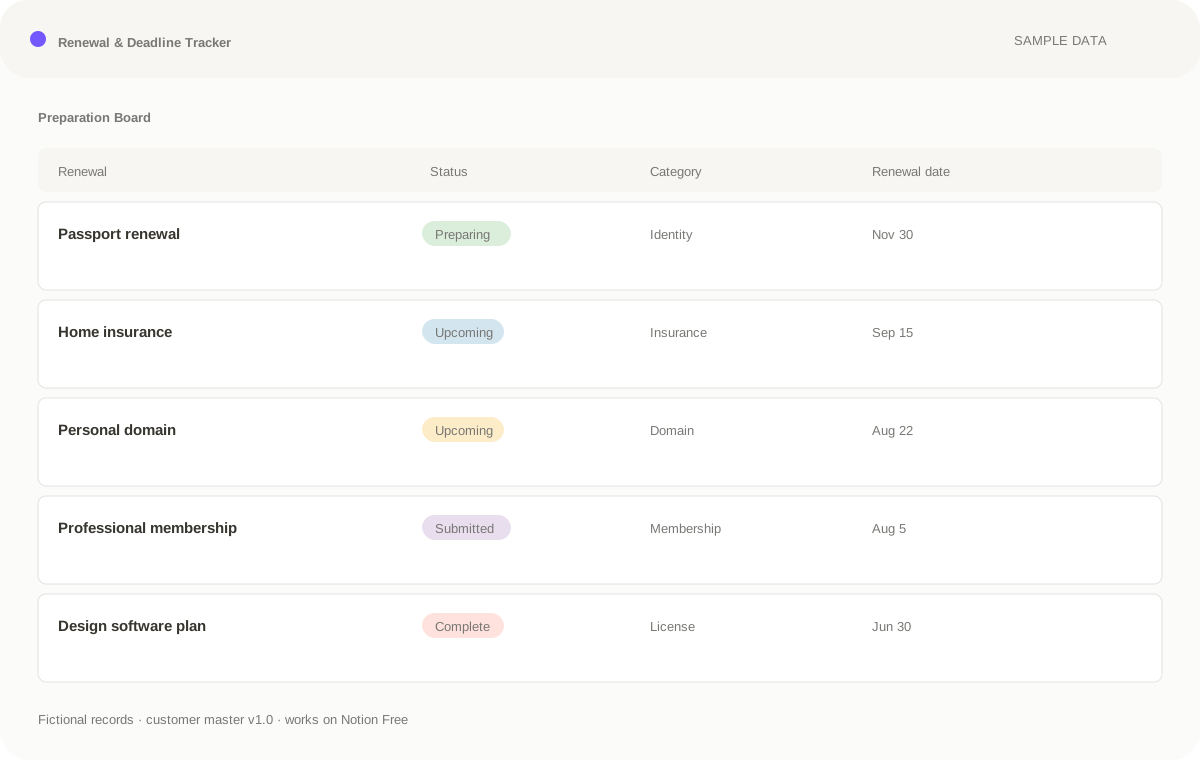
This is the real structure and sample data included with Renewal & Deadline Tracker. The public demo is view-only; duplication belongs to the private customer template, not the showroom.
Customer master built; view-only demo publishing is next.
The optional AI layer
Renewal & Deadline Tracker stays useful on its own in Notion. When your AI tool can read the workspace directly—or you provide an export—the included instructions turn it into a careful assistant.
Start read-only. Draft changes before writing. Keep consequential decisions human.
Answer a focused question about renewals, notice periods, evidence requirements, owners, and completion history, using the workspace as the source and pointing back to the relevant records.
Turn notes, files, or a conversation into draft Renewal & Deadline Tracker records. Ask for missing facts instead of inventing them.
Find missing, stale, contradictory, or urgent information across renewals, notice periods, evidence requirements, owners, and completion history, then prepare a human-reviewed action list.
In production
The Notion template, sample data, and core views are in dogfooding. Public view-only sharing and the purchase handoff are the remaining launch checks.